For energy storage installations that require additional battery capacity, installers can parallel two Fortress Power eWay Lites while maintaining a streamlined connection to a compatible Envy inverter.
The eWay Lite provides a simplified, more cost-effective alternative to the full eWay for parallel operation. However, its design differs in several important ways, so understanding the connection method, conduit options, cable requirements, and primary battery configuration can help installers plan the system before arriving on site.
What Is the Fortress Power eWay Lite?
The eWay Lite supports parallel operation while reducing some of the hardware found on the standard eWay. It features a single parallel port and does not include an integrated disconnect, back knockout openings, or top access for inverter stacking.
For an eWay Lite-to-eWay Lite configuration, two units can operate in parallel and feed a compatible Envy inverter, including the Envy 12K and Envy Duo 21/G.
This gives installers another configuration option when designing a Fortress Power energy storage system around the needs of the installation.
How Do You Parallel Two eWay Lites?
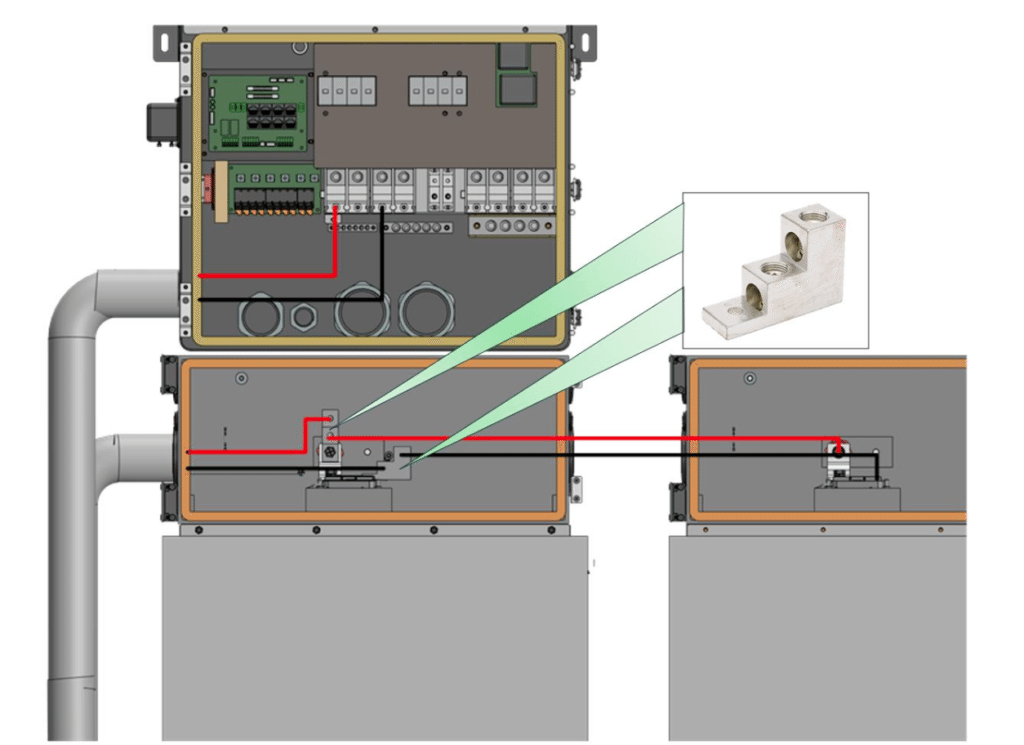
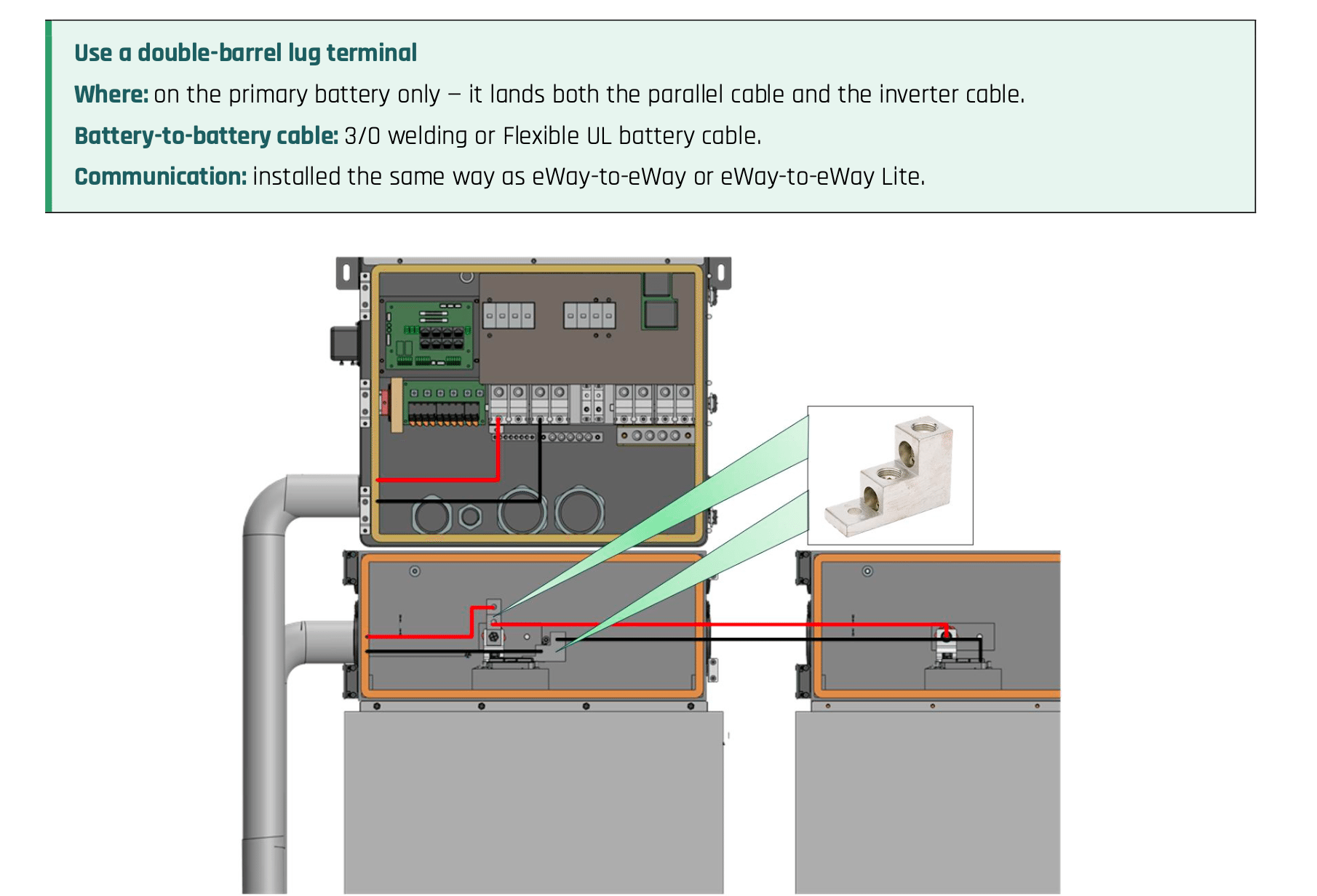
When paralleling two eWay Lites, one unit serves as the primary battery. The primary battery carries the mechanical lug that makes both electrical connections: one to the second eWay Lite and another to the inverter battery ports. A double-barrel lug on the primary battery allows the parallel battery cable and inverter cable to land at the same point. The basic connection sequence is:
- Identify which eWay Lite will serve as the primary battery.
- Install double-barrel lugs on the primary battery’s positive and negative terminals.
- Run 3/0 cable from the second eWay Lite to one barrel of each lug.
- Connect the inverter cables from the remaining barrels to the Envy inverter battery ports.
- Install the parallel communication cable using the standard eWay-to-eWay communication method.
- Torque each lug connection according to the lug manufacturer’s specifications.
- The connection diagram in the Fortress Power technical note provides a visual reference for the primary battery, second eWay Lite, double-barrel lug, and inverter connection.
Flexible vs. Rigid Conduit for eWay Lite Installations
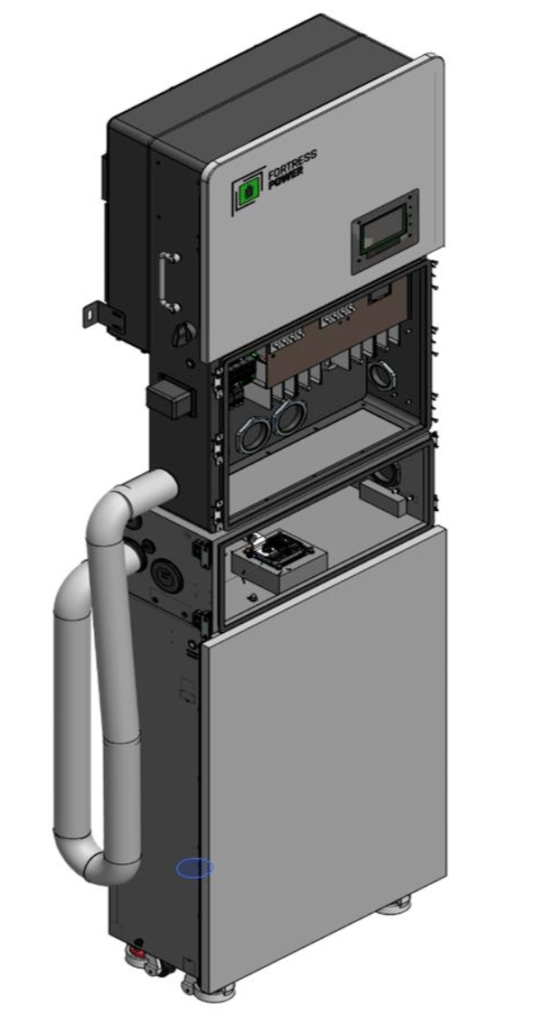
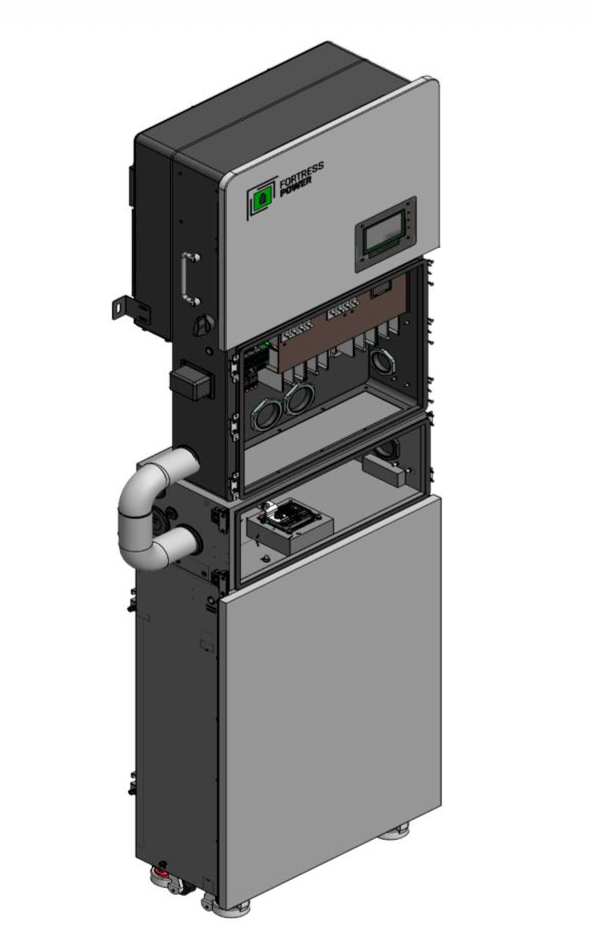
Installers have two approved conduit options for the connection between the eWay Lite and Envy inverter: flexible conduit or rigid conduit with a 90-degree bend. The right choice depends on the site conditions and local inspection preferences.
Flexible conduit accommodates the offset between the battery port and inverter without requiring a fabricated bend, which can make it the faster option in the field.
Rigid conduit provides a fixed, mechanically protected run. A 90-degree bend accommodates the offset while maintaining the required spacing between the eWay Lite and inverter. Regardless of the conduit method, installers should confirm the required spacing and select the appropriate knockout before routing cable.
eWay Lite Cable Requirements
Cable selection is another important part of the installation. Fortress Power specifies welding cable or Flexible UL battery cable for every DC run. Building wire should not be used as a substitute.
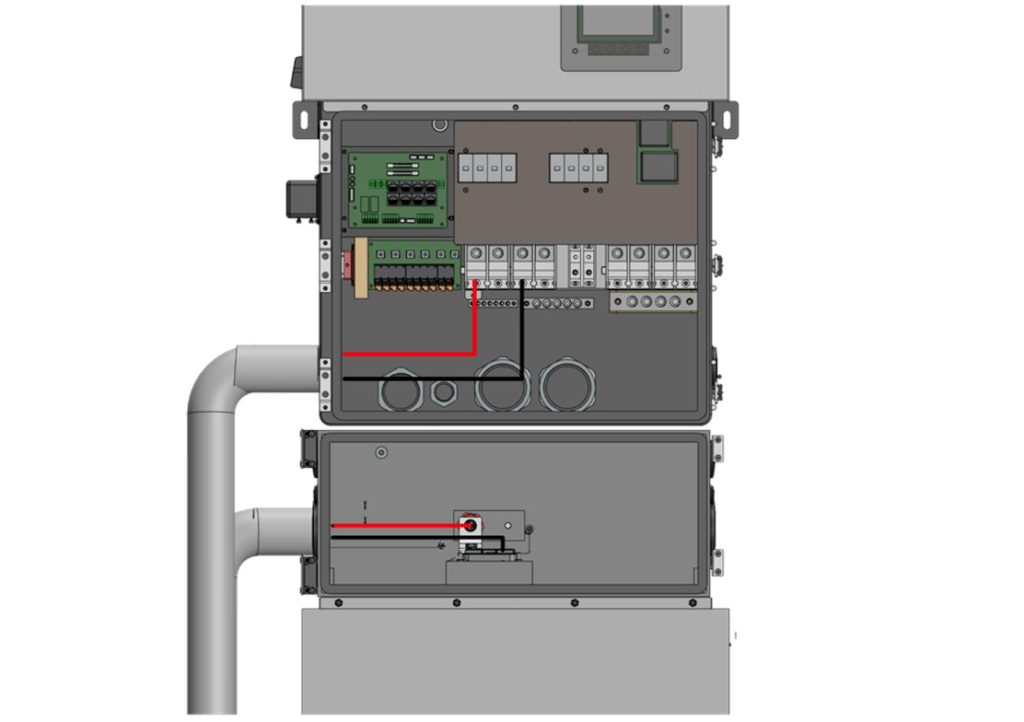
For the battery-to-battery connection between two eWay Lites, installers should use 3/0 welding cable or Flexible UL battery cable.
The eWay Lite also provides multiple knockout sizes to accommodate different conduit sizes. Installers should match the conduit to the knockout they plan to use before beginning the run.
What Should Installers Check Before Energizing?
Before energizing an eWay Lite-to-eWay Lite system, installers should verify the complete battery and inverter connection.
Confirm that the spacing meets the required clearance, the conduit matches the selected knockout, and all DC runs use the specified battery cable. The double-barrel lug should be installed on the primary battery with both cables properly landed and torqued.
Installers should also verify positive-to-positive and negative-to-negative polarity at every termination, confirm that the parallel communication cable is fully seated at both units, and inspect the installation for exposed conductors or damaged cable insulation.
Building Out an eWay Lite Configuration
Paralleling two eWay Lites gives installers another way to expand an eBoost system while maintaining a straightforward connection to compatible Envy inverters. With the right cable, conduit, spacing, and primary battery configuration planned ahead of time, installers can create a clean parallel setup that fits the needs of the system.
Have questions about eWay Lite configurations or designing your next Fortress Power system? Contact the Fortress Power team for support with system design and product selection.